Run KeepKey firmware
without hardware.
libkkemu is the real KeepKey firmware — the same C that runs on the device — compiled as a library KeepKey Desktop loads directly. Drag it onto the app and whatever's on the latest firmware branch (new coins, unreleased fixes) runs in the live KeepKey Desktop UI, no device required.
What this is
One firmware, two platforms.
Not a re-implementation
Same firmware C code as the STM32 build, with the hardware peripheral layer swapped for host equivalents. Whatever ships to the emulator behaves like it will on real hardware.
In-process, not a separate app
KeepKey Desktop loads the library directly and drives it with a poll loop — no subprocess, no network port. The emulated OLED screen renders straight into the KeepKey Desktop UI.
Test wallets only
The emulator keeps its seed in host memory, encrypted at rest with a locally-generated key. It is a development tool — never load the seed from your hardware device.
Download · latest alpha build
Pick your platform.
Rebuilt automatically from firmware's alpha branch on every push. Both files come from the same source — pick the one that matches your OS.
macOS
libkkemu-macos-arm64.dylib — Apple Silicon only. This is the artifact KeepKey Desktop has actually loaded and run; the mature path.
Windows
libkkemu-win-x64.dll — cross-compiled from the same source via MinGW-w64. Newer than the macOS path; if it fails to load, file an issue with your KeepKey Desktop version.
See build hashes, commit, and firmware version for the current release ↗
Installation
Drag it onto KeepKey Desktop. That's the install.
There's no separate installer. KeepKey Desktop's global drop zone recognizes the file by content, not just its name, and wires it straight into ~/.keepkey/emulator/.
Open KeepKey Desktop
Any recent build. The emulator is a hidden dev feature — no toggle to find first.
Drag the file onto the KeepKey Desktop window
Anywhere on the app. A full-screen "Drop File" overlay confirms it’s a recognized drop target.
KeepKey Desktop validates it
It checks the file is a real Mach-O library (macOS) or PE/MZ binary (Windows) before ever loading it — a renamed random file is rejected, not crashed on.
It installs and boots
First install: KeepKey Desktop pairs automatically and boots a fresh test wallet straight into onboarding. Already have emulator wallets? They’re left untouched — start any of them from the device grid.
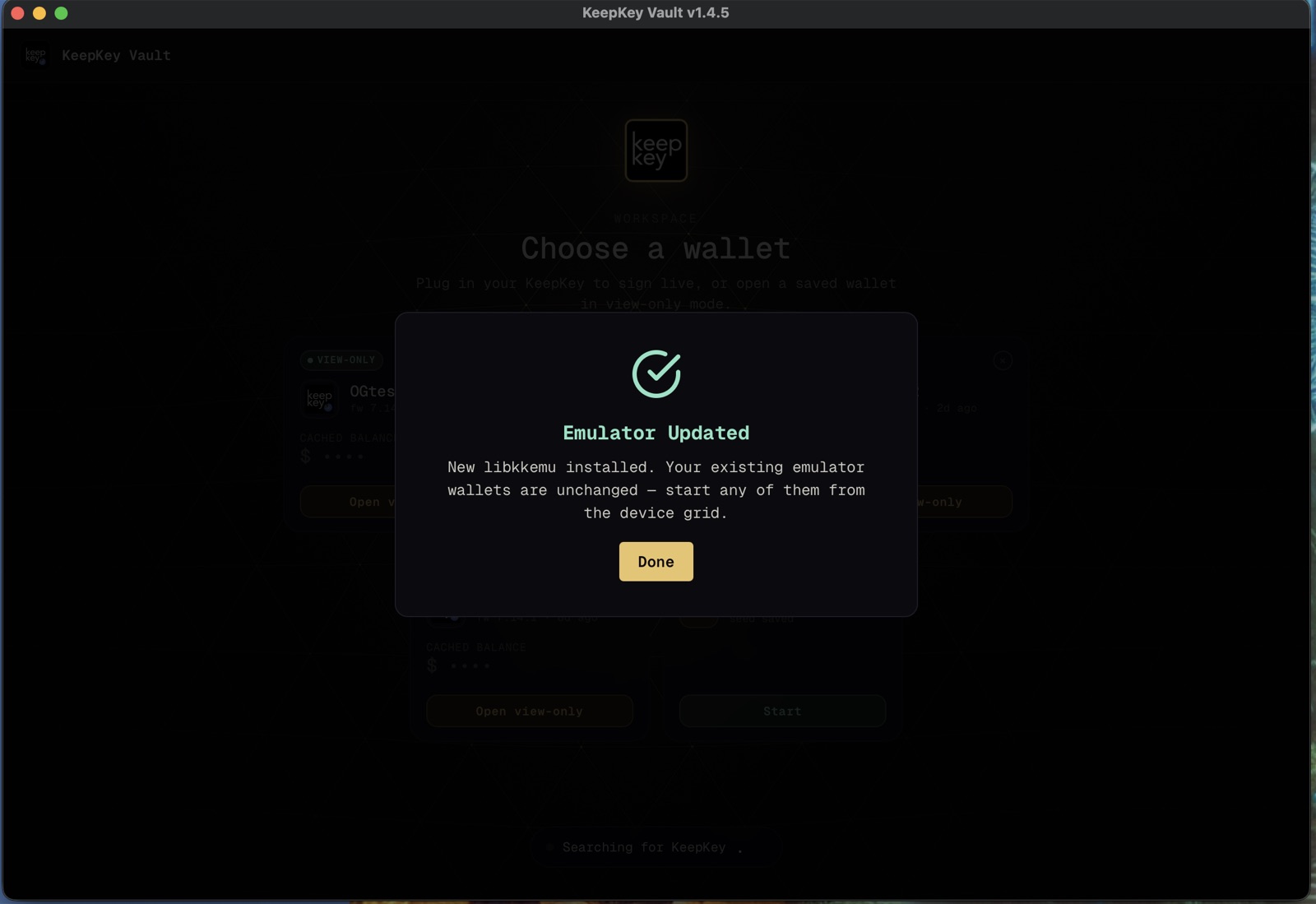
Installing a new build stops any running emulator first — swapping a loaded library mid-session isn't safe. Existing emulator wallets on disk are never touched by an install; only running state is.
Screenshots · live emulator
This is the real KeepKey Desktop, running the real firmware.
Not mockups — a KeepKey Desktop build (v1.4.10) paired to a KeepKey Emulator window, side by side, with a test seed loaded across nine chains.
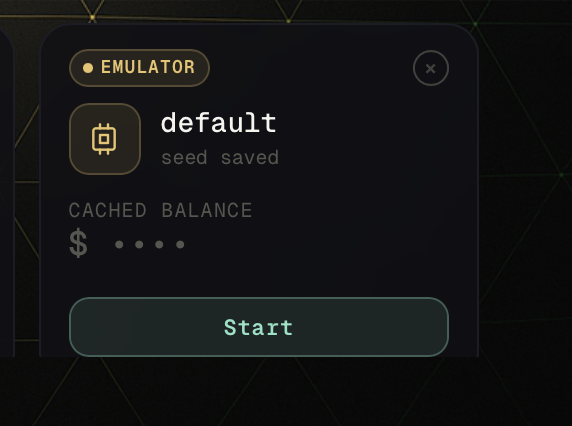
Boot a test wallet
The device grid shows an EMULATOR card. Click Start and KeepKey Desktop pairs a saved test seed in seconds — no cable, no hardware.
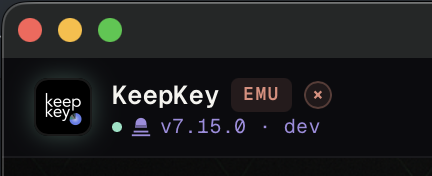
Always know it’s the emulator
KeepKey Desktop marks the session with an EMU badge and the exact firmware version running — v7.15.0 · dev here. No ambiguity about what you’re looking at.
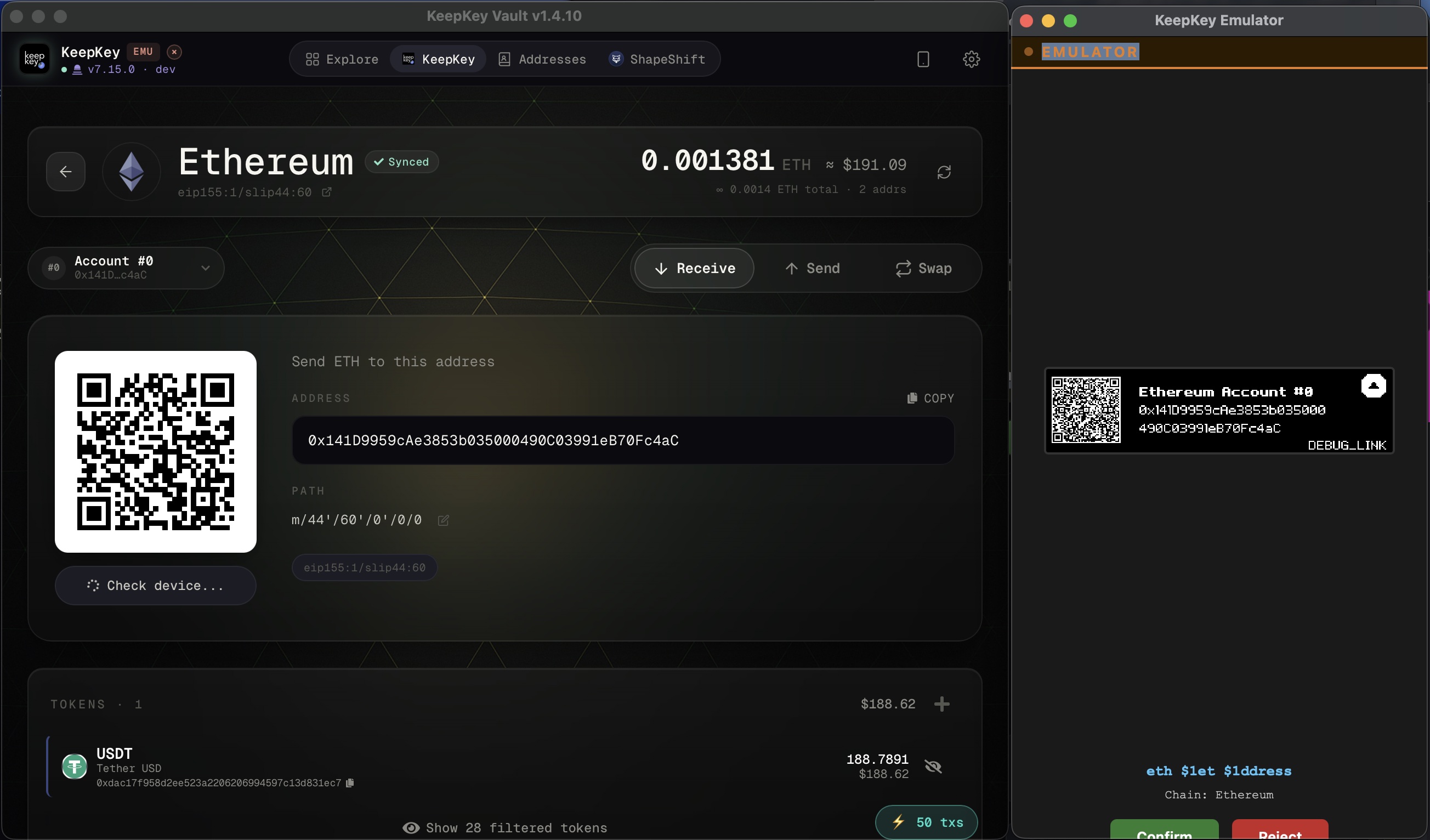
Verify on the emulated device
Receive works exactly like real hardware: KeepKey Desktop shows the address, the emulator’s own screen shows the same address — the same verify-on-device habit as physical KeepKey.
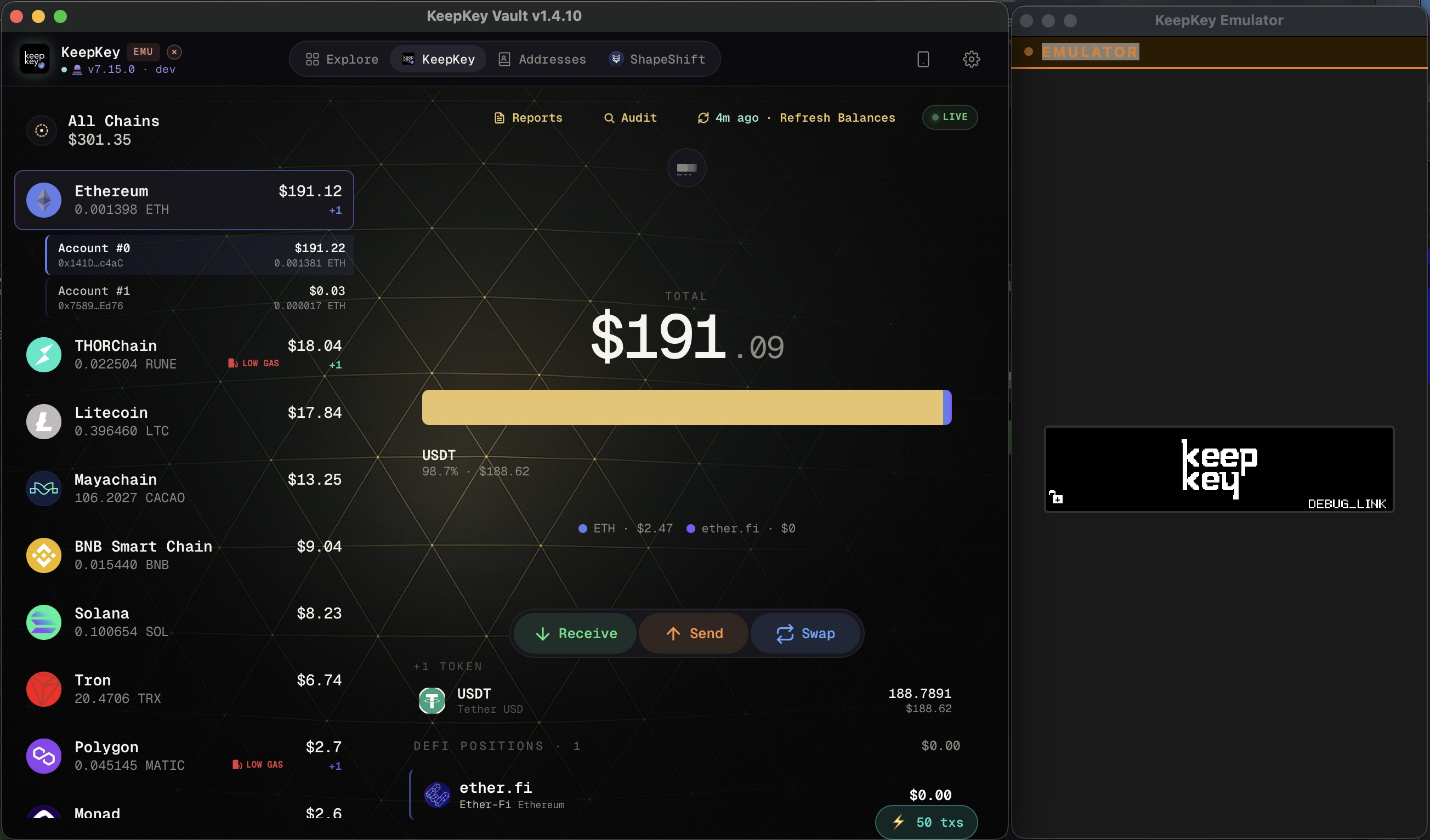
The full multi-chain portfolio
Ethereum, THORChain, Litecoin, Mayachain, BNB, Solana, Tron, Polygon and more — the entire KeepKey Desktop dashboard, live balances included, running against the emulator.
Why we ship this openly
Open development, not a black box.
Hardware wallet firmware is usually a closed loop: you find out what it does when it ships. Publishing a working build of firmware-in-progress turns that into something the community can watch, poke at, and report back on — while it’s still changeable.
Nothing to take on faith
Download the exact build running on the alpha branch right now and watch it work, screen by screen, before it’s ever signed and shipped to hardware.
Testing happens before release, not after
Bugs found against the emulator get fixed before real devices see that firmware. Testers and auditors are part of the release pipeline, not just recipients of it.
A changelog you can run
Every push to alpha rebuilds this download automatically. It isn’t a roadmap slide about what’s coming — it’s the actual firmware, today, on your machine.
No purchase required
Try the whole product before you own it.
This isn’t a demo video or a clickable prototype — it’s the same KeepKey Desktop app, the same multi-chain dashboard, the same send/receive/swap flows, running the same firmware a physical KeepKey would run. If you’re deciding whether the software fits how you hold and move assets, this is the fastest way to find out — with a test seed, before you spend anything.
For auditors & contributors
Don't trust a prebuilt binary? Build it yourself.
make build-emulator builds libkkemu.dylib locally on macOS. make build-emulator-windows cross-compiles the Windows .dll from macOS or Linux via MinGW-w64 — no Windows machine needed. Both pull from the same firmware source these downloads are built from.