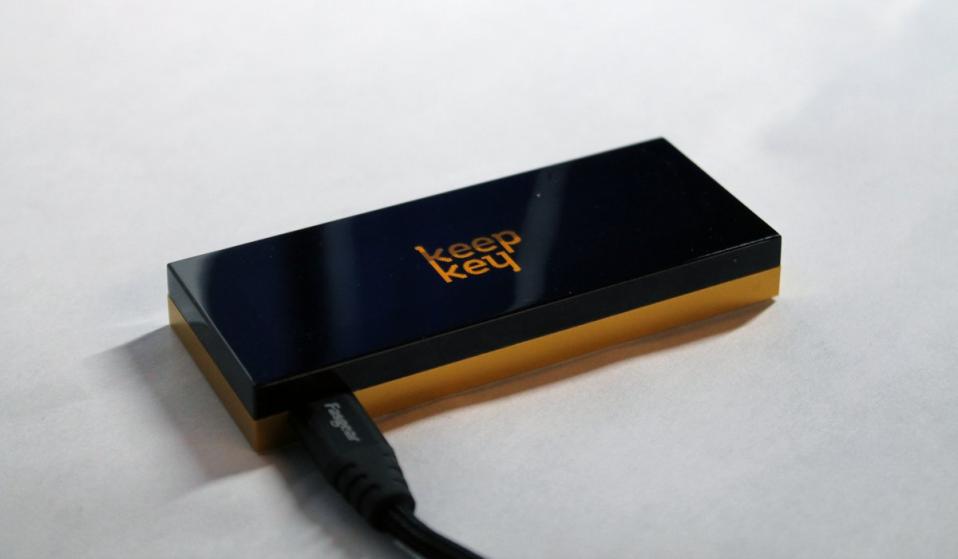
Most hardware wallets ask you to trust a black box. KeepKey doesn't.
If you open a KeepKey—physically or intellectually—you don't find secret chips or magic security. You find something far rarer in modern crypto hardware:
A small, auditable computer designed to do exactly one thing—and nothing else.
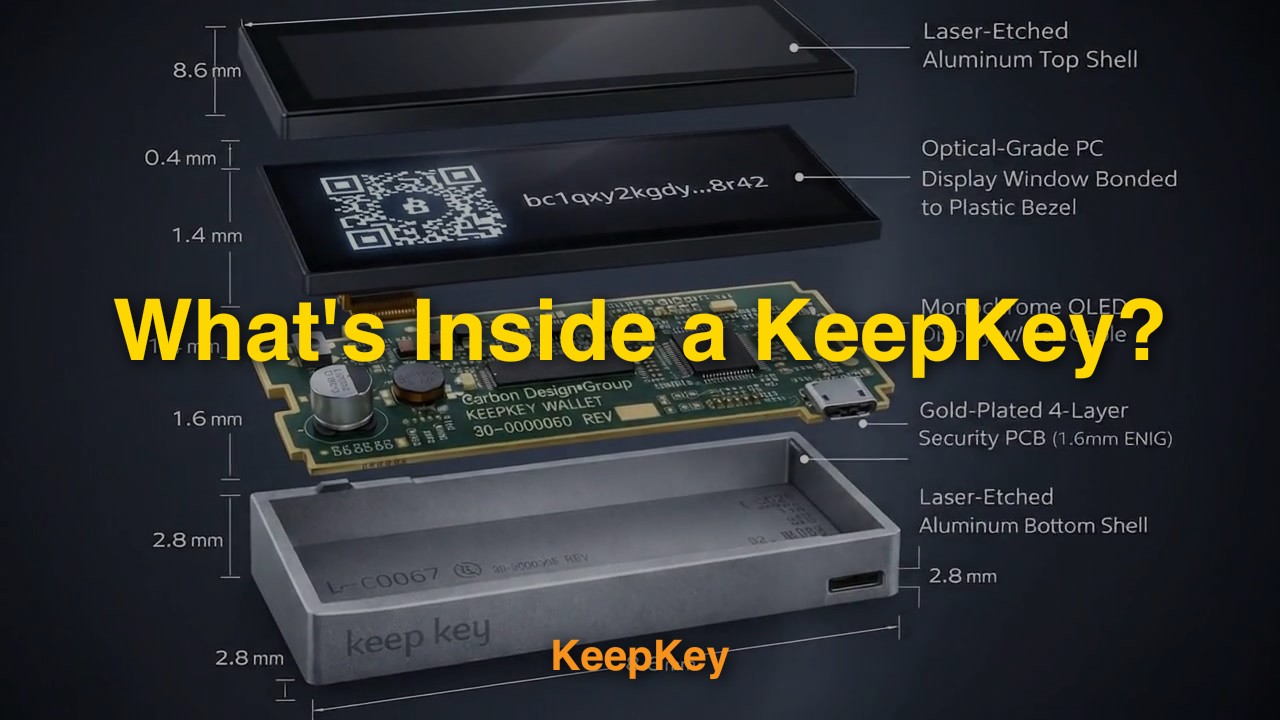
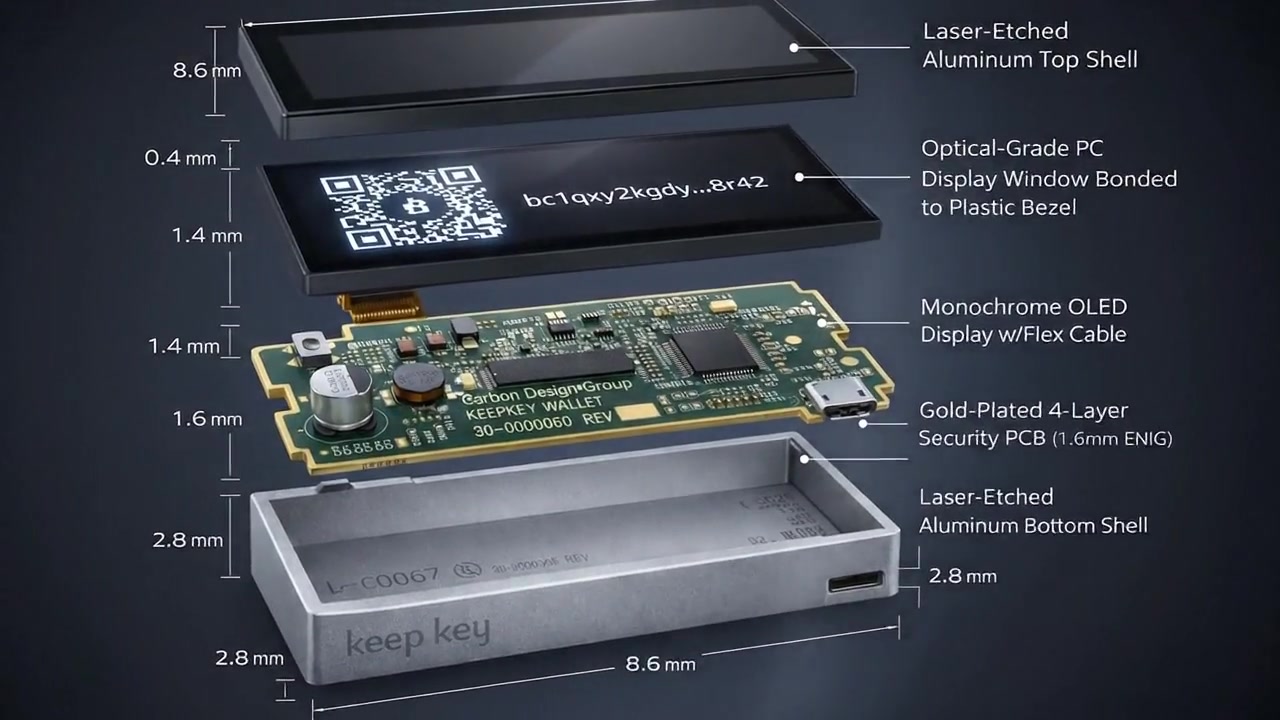
Exploded view: Every component visible and accountable
Key Specifications
Component
Part Number
Purpose
MCU
STM32F205RGT6
Main processor - runs firmware, holds keys
Display
OLED (SSD1306)
Shows transaction details to user
Power
USB 5V
No battery - off when unplugged
Button
Physical switch
Human confirmation required
What You Won't Find:
No secure element chip
No wireless radios (WiFi, Bluetooth, NFC)
No battery or always-on power
No hidden secondary processors
No mystery components
Every part is on the public schematic. Every chip has a datasheet.
Last updated: January 2025
A Hardware Wallet Is Just a Computer
(Ours doesn't pretend otherwise.)
At its core, KeepKey is a simple embedded system:
One general-purpose ARM microcontroller
A screen and a button for human verification
USB for power and communication
No battery, no radio, no background execution
That's it.
There's no secure enclave. No hidden coprocessor. No "trust us" silicon.
Everything that runs on the device is firmware you can build, inspect, and verify yourself.
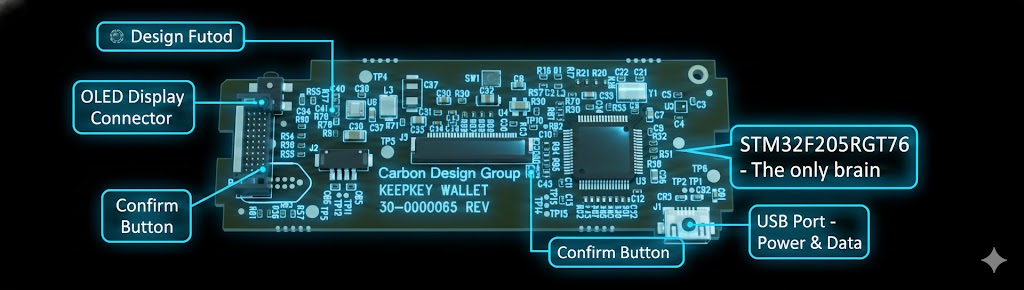
Simple architecture: MCU, screen, button, USB - that's all there is
The Power of the MCU
KeepKey runs everything on a single microcontroller.
MCU: STM32F205RGT6 (ARM Cortex-M3)
Why that matters:
No split-brain security
No secret secondary processor doing things you can't see.
Reproducible firmware
You can compile the firmware yourself and verify it matches what's running.
No vendor NDA lock-in
The chip, tools, and datasheets are public.
Most modern wallets rely on secure elements you're not allowed to inspect.
KeepKey takes the opposite approach: security through transparency and determinism, not secrecy.
You don't have to trust KeepKey. You can verify KeepKey.
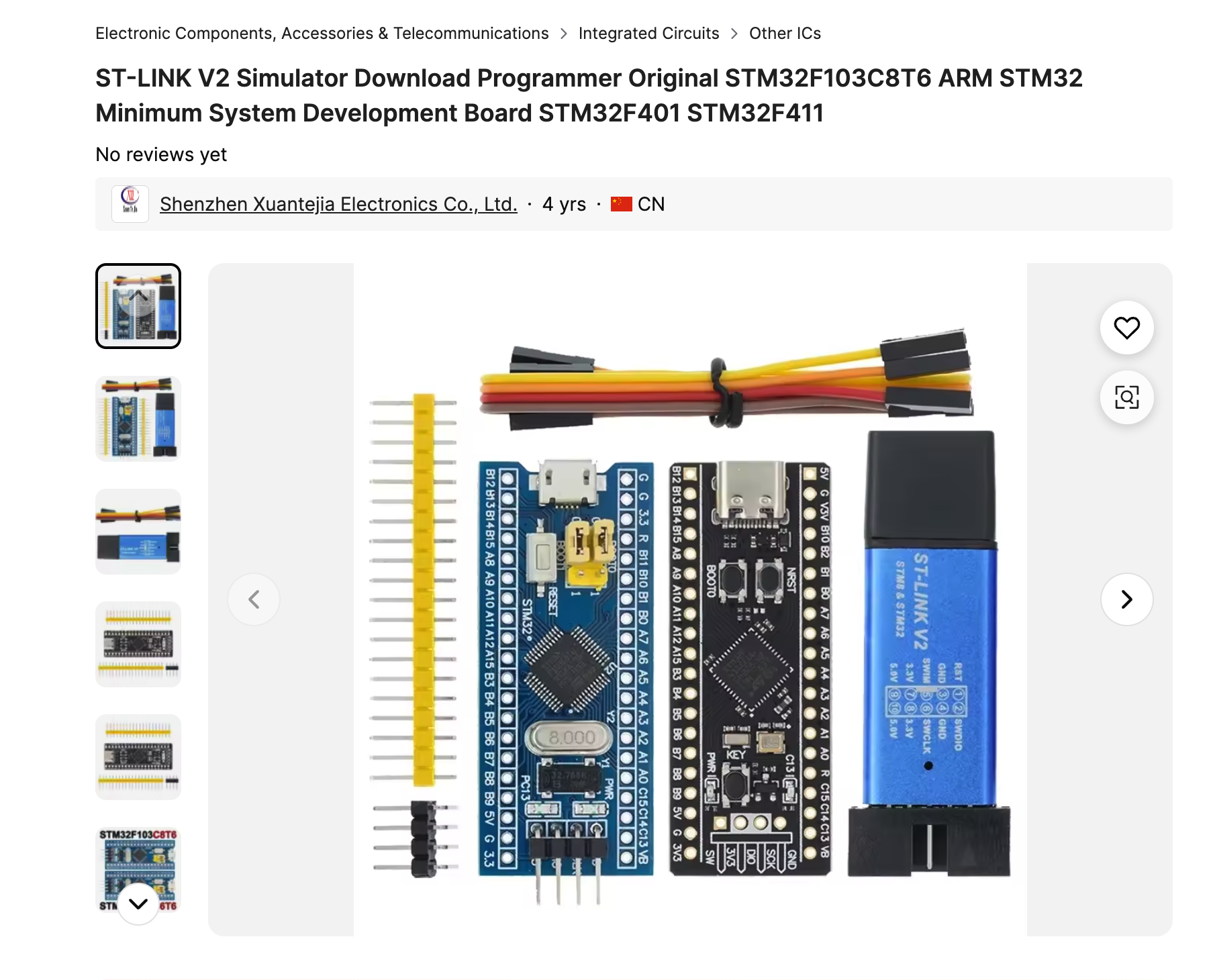
The actual STM32F205RGT6 chip - available for purchase by anyone
The Screen & Button: Where Software Stops Lying
Every sensitive action on a KeepKey crosses a physical boundary:
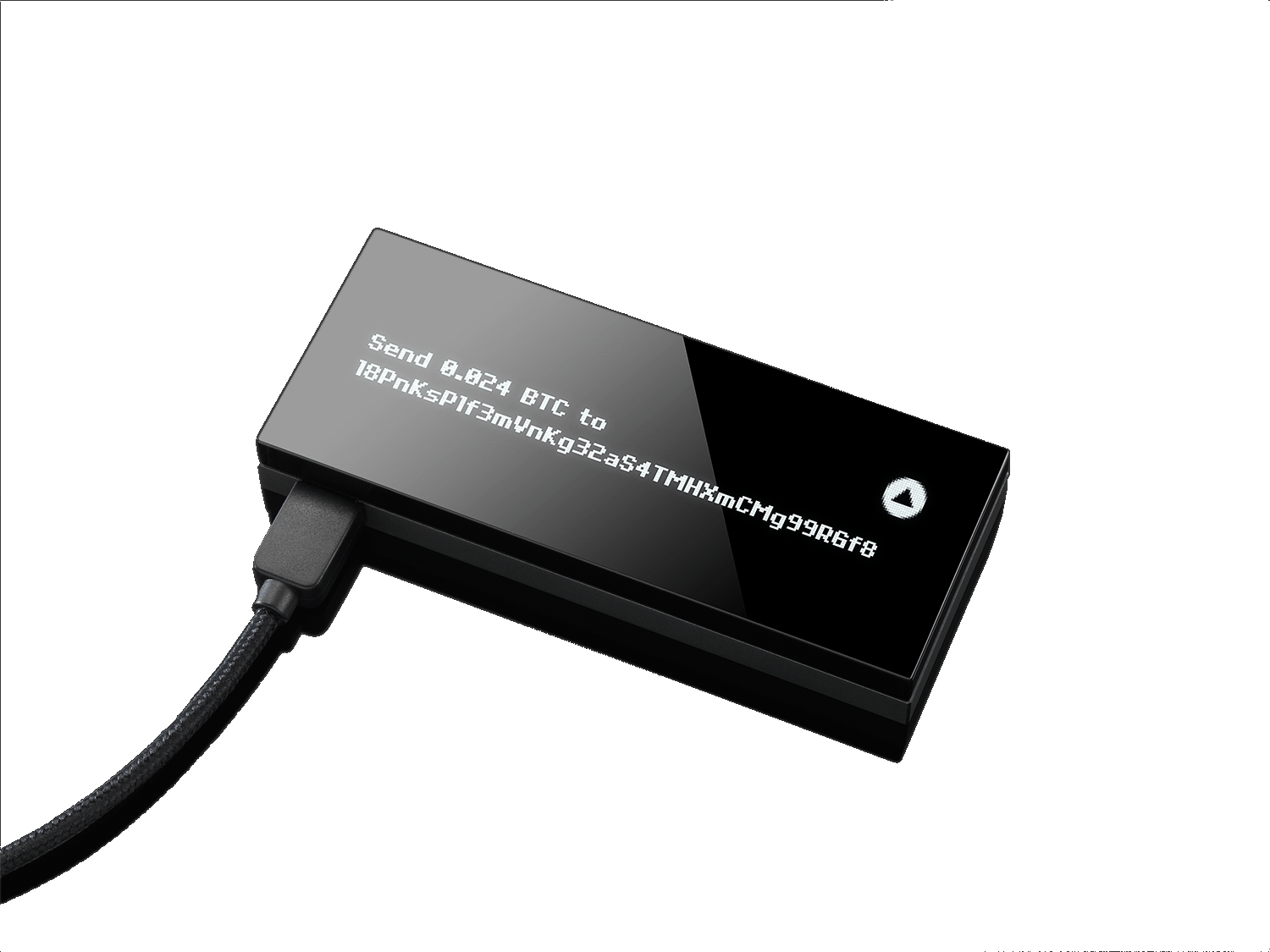
The screen shows exactly what's being signed
The button requires explicit human confirmation
No touchscreen. No gestures. No software-only approval.
Malware can fake software UI.
It cannot fake what's shown on a dedicated screen wired directly to the signing device.
This is the human security boundary—and it's intentional.
The screen shows exactly what you're signing. The button requires your explicit confirmation.
Why There's No Battery
KeepKey is USB-powered only. On purpose.
✅ No battery aging or swelling
✅ No always-on attack surface
✅ No execution when unplugged
When it's unplugged, it's off. Fully.
Simple systems fail less often—and leak less often.
USB-powered only. No battery, no always-on attack surface.
The PCB: Boring in the Best Way
If you look at the board, you won't find anything exotic:
❌ No radios
❌ No hidden memory packages
❌ No epoxy blobs
❌ No mystery chips
Just labeled components, clean routing, and public schematics.
This isn't accidental. KeepKey was designed so that:
The board can be inspected
The BOM can be reproduced
The device can be manufactured independently
That's rare in consumer crypto hardware—and very intentional.
No Secure Enclave — On Purpose
This is the part that surprises people.
KeepKey does not use a secure element.
Why? Because secure elements:
❌ Can't be independently audited
❌ Require trusting the chip vendor
❌ Depend on closed ROM and toolchains
❌ Break reproducible builds
Instead, KeepKey treats security as a system property:
✅ Deterministic firmware
✅ Physical user verification
✅ Minimal attack surface
✅ Open hardware and software
This doesn't mean exploits are impossible.
It means they're discoverable, discussable, and fixable in public.
Closed systems fail quietly. Open systems fail loudly—and get better.
The Core Difference: Trust vs Verifiability
Question
MCU-Based Wallet
Secure-Element Wallet
Can I build the firmware myself?
✅ Yes
❌ Usually no
Can I verify what code is running?
✅ Yes
❌ Partially / No
Is all silicon auditable?
✅ Yes
❌ Vendor-restricted
Can firmware be modified or forked?
✅ Yes
❌ Often blocked
Relies on chip vendor secrecy?
❌ No
✅ Yes
This isn't about which is "more secure" in theory.
It's about where trust lives.
What You're Really Buying
When you buy a KeepKey, you're not buying magic hardware.
You're buying:
✅ A device you can verify end-to-end
✅ A design with public schematics
✅ A security model that assumes attackers exist
✅ A system that doesn't ask for blind trust
It's slower. It's harder. It's less flashy.
But it's honest.
Final Thought: Trust Is a Liability
In crypto, trust is usually the weakest link.
KeepKey doesn't eliminate trust with secrecy. It reduces trust by letting you see the entire system.
And if you want to go further—the files are public. You can build one yourself.
Every component, fully documented and reproducible
Build Your Own KeepKey
Want to see for yourself? Watch a complete KeepKey hardware wallet being built from components:
The bottom line: KeepKey doesn't eliminate trust with secrecy. It reduces trust by letting you see the entire system.
And if you want to go further—the files are public.