Complete Guide: How to Join the KeepKey Affiliate Program and Start Earning Crypto Commissions
Learn how to become a KeepKey affiliate, set up your account, and start earning competitive commissions by promoting hardware wallet security.
The KeepKey affiliate program offers crypto enthusiasts and content creators an excellent opportunity to earn competitive commissions while promoting hardware wallet security. This comprehensive guide walks you through the entire signup process, from initial application to receiving your first payout.
What is the KeepKey Affiliate Program?
KeepKey's affiliate program allows you to earn commissions by promoting KeepKey hardware wallets through your unique referral link. With over 1,000 active affiliates, the program offers:
- Competitive commission rates on every sale
- Real-time tracking dashboard with detailed analytics
- Dedicated affiliate support team
- Custom discount codes for your audience
- Multiple payout options including cryptocurrency
Getting Started: Account Creation
Step 1: Access the Affiliate Portal
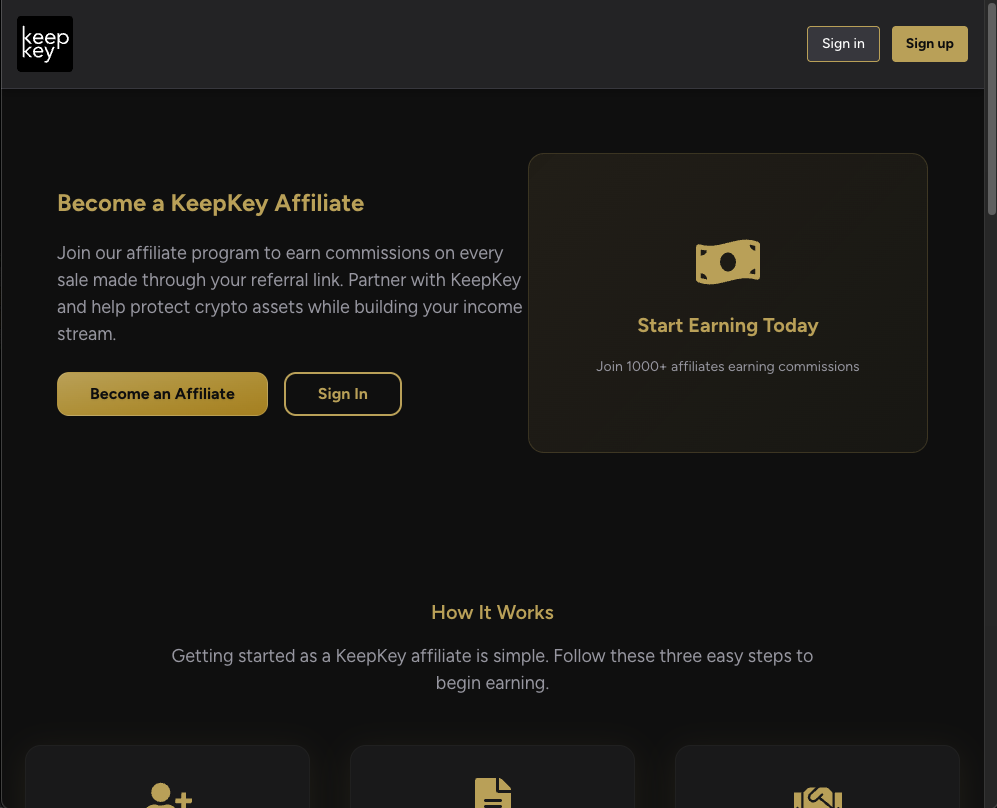
Navigate to the KeepKey affiliate portal. If you don't have an account yet, you'll see the welcome screen with sign-in options.
https://affiliates.keepkey.com
The welcome screen offers secure affiliate access with:
- ✅ Google OAuth authentication
- ✅ Secure dashboard access
- ✅ Real-time earnings tracking
Step 2: Discover the Program Benefits
Before signing up, review the affiliate program overview to understand the benefits and earning potential.
Key program highlights:
- Earn commissions on every sale made through your referral link
- Partner with KeepKey to help protect crypto assets
- Build your income stream while promoting hardware wallet security
- Join 1000+ affiliates already earning commissions
Step 3: Create Your Account
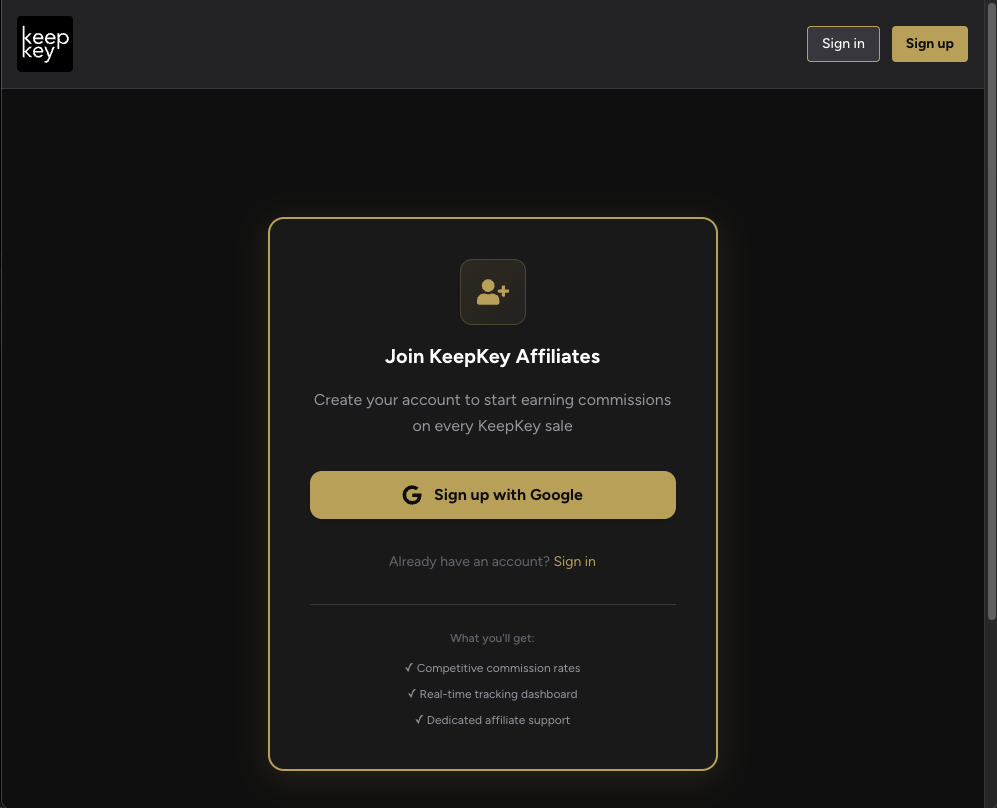
Click "Become an Affiliate" to start the signup process. You'll be presented with the account creation form.
The signup form includes:
- ✅ Competitive commission rates
- ✅ Real-time tracking dashboard
- ✅ Dedicated affiliate support
Use Google OAuth for quick and secure account creation.
Application Process
Step 4: Complete Your Application
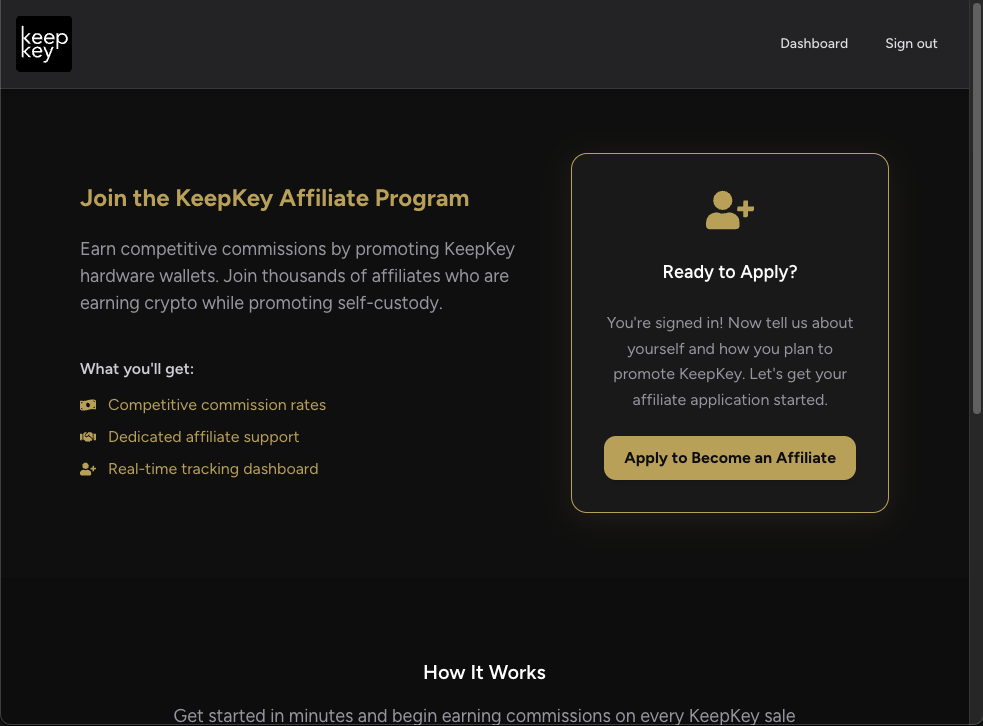
After creating your account, you'll need to apply to become an affiliate by providing detailed information about your promotional plans.
You're now signed in! The next step is to complete your affiliate application with:
- Information about yourself
- How you plan to promote KeepKey
- Your marketing channels and audience
Step 5: Fill Out Application Details
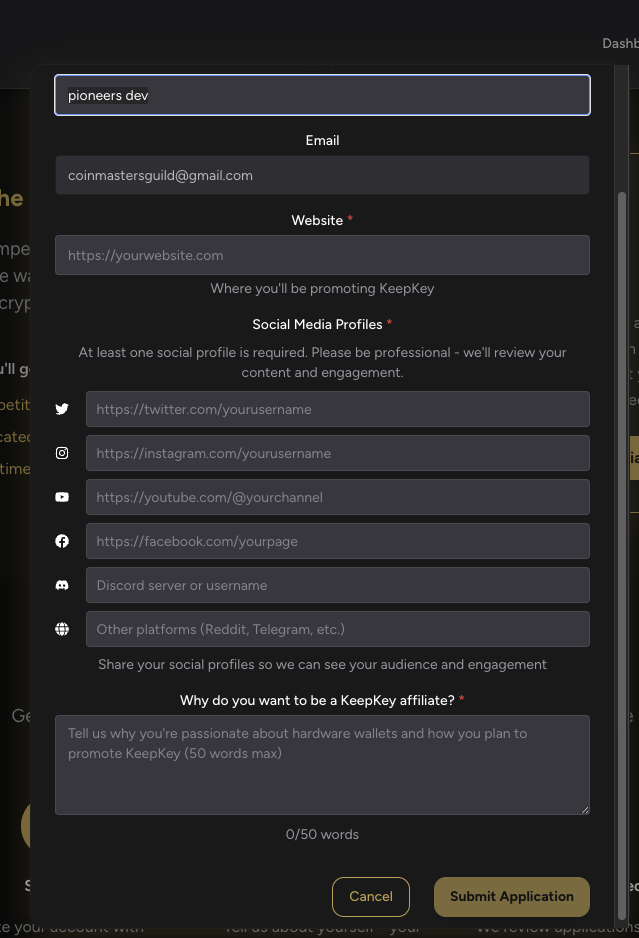
Provide comprehensive information in the application form to increase your approval chances.
Required Information:
- Contact Details: Your email and website URL
- Social Media Profiles: At least one professional social media profile is required
- Promotional Strategy: Explain why you want to be a KeepKey affiliate (50 words max)
Pro Tips for Approval:
- Be professional in your social media content
- Clearly explain your promotional strategy
- Demonstrate genuine interest in hardware wallet security
- Show existing audience engagement
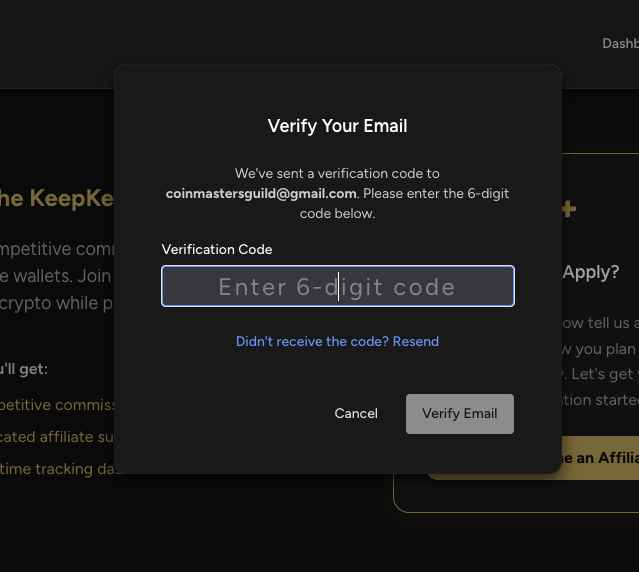
Step 6: Email Verification
After submitting your application, verify your email address to complete the process.
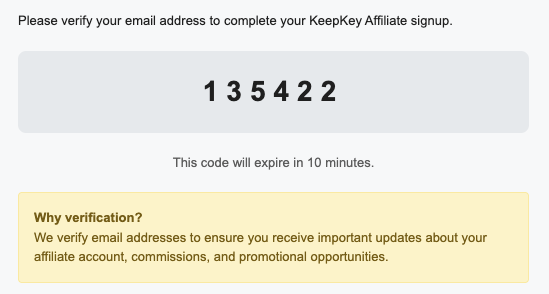
A verification code will be sent to your email address. Enter the 6-digit code to proceed.
Important: The verification code expires in 10 minutes. Check your spam folder if you don't receive it immediately.
Why verification? Email verification ensures you receive important updates about your affiliate account, commissions, and promotional opportunities.
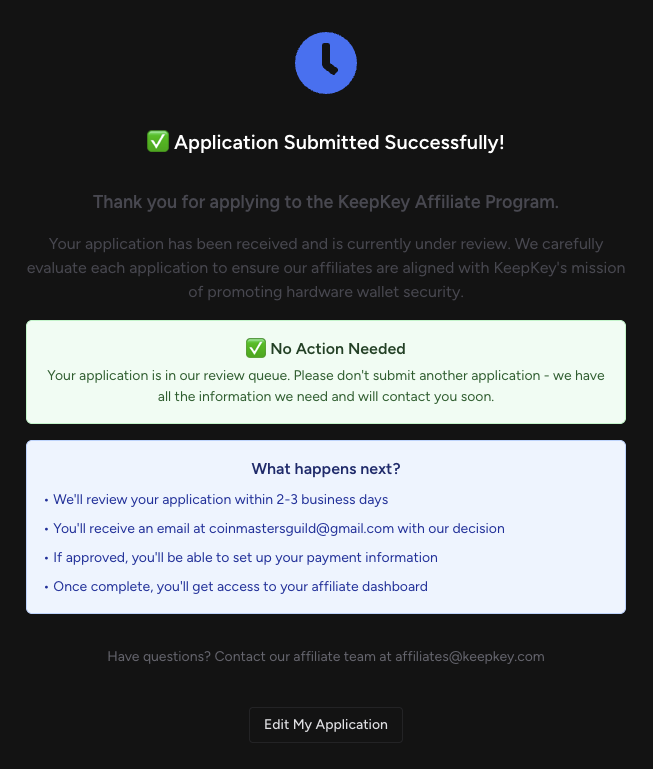
Step 7: Application Submitted Successfully
Once your email is verified and application submitted, you'll receive a confirmation message.
What happens next:
- ✅ No Action Needed - Your application is in the review queue
- ⏰ Review within 2-3 business days
- 📧 Email notification with our decision
- 💰 Payment information setup if approved
- 🎯 Affiliate dashboard access once complete
Contact: Have questions? Reach out to the affiliate team at affiliates@keepkey.com
Account Setup After Approval
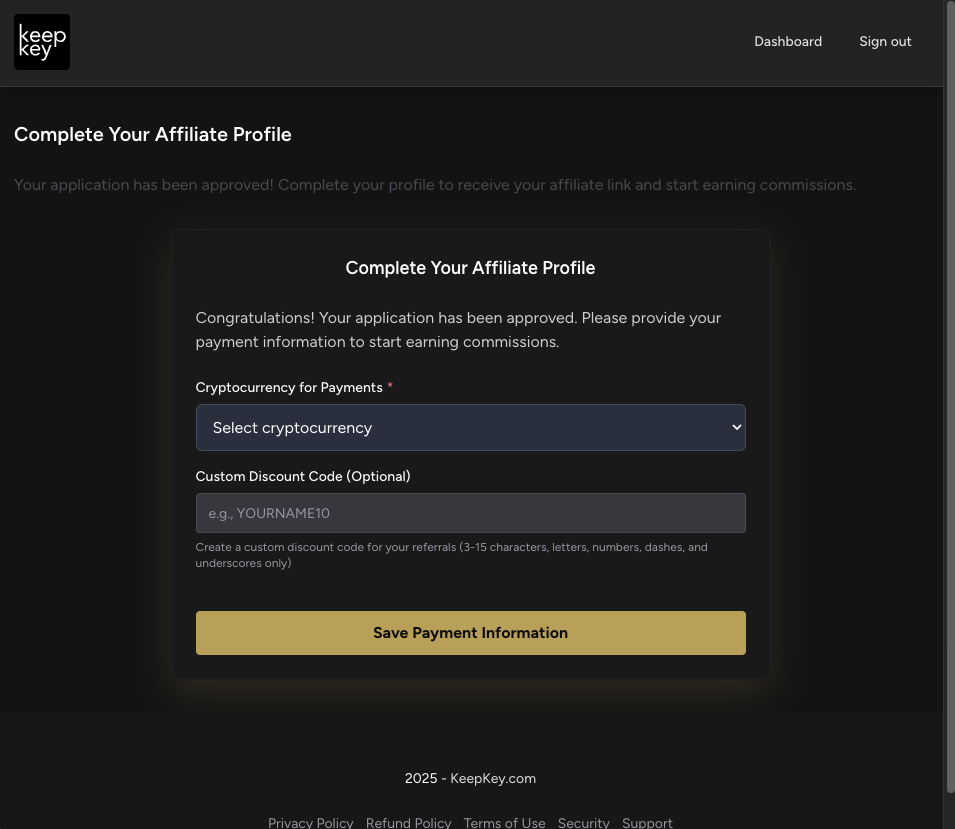
Step 8: Complete Your Profile
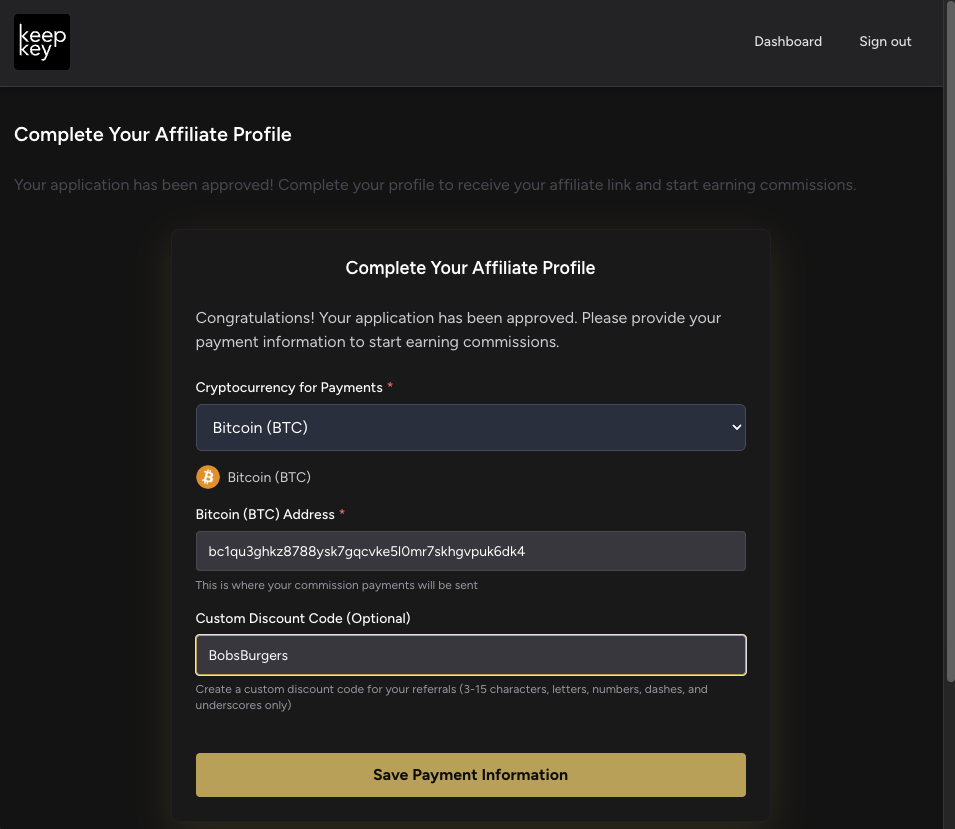
Once approved, you'll need to complete your affiliate profile with payment information.
Congratulations! Your application has been approved. Complete your profile to receive your affiliate link and start earning commissions.
Step 9: Payment Information Setup
Configure your payment preferences and create a custom discount code for your audience.
Payment Setup:
- Cryptocurrency Selection: Choose your preferred cryptocurrency for payments
- Custom Discount Code: Create a memorable code (3-15 characters, letters, numbers, dashes, underscores only)
Example: A food blogger might use "BOBSBURGERS" as their custom discount code
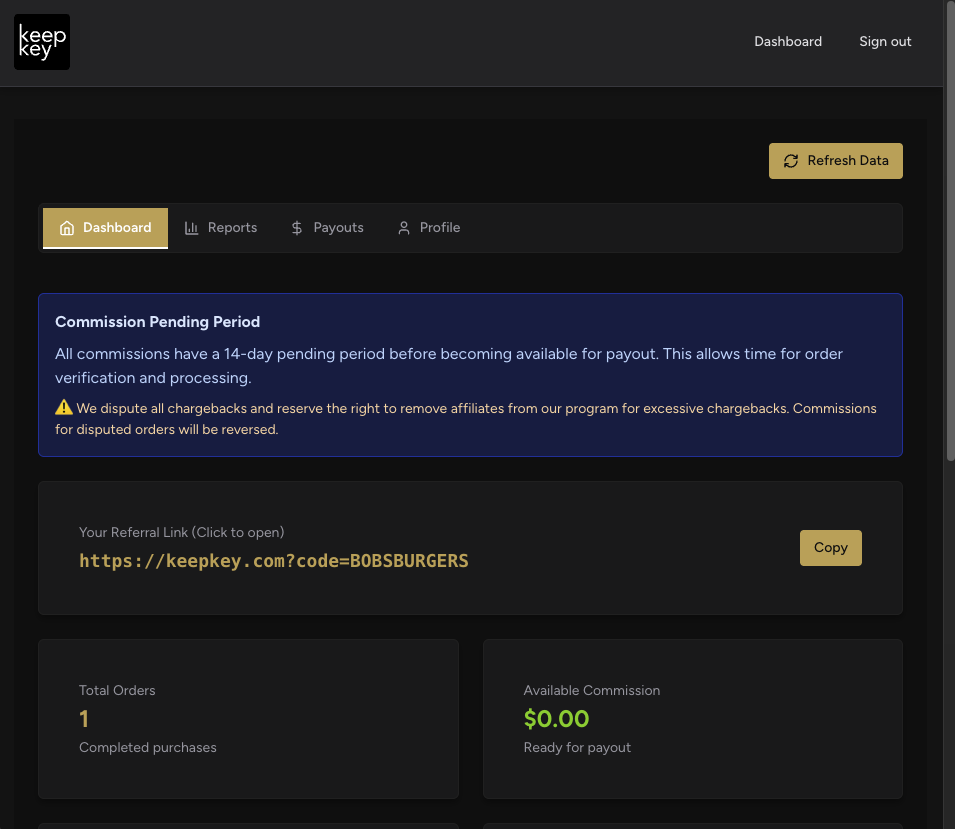
Step 10: Access Your Dashboard
With your profile complete, you'll have full access to your affiliate dashboard.
Dashboard Features:
- 📊 Commission Overview: Track pending and available commissions
- 🔗 Custom Referral Link: Your unique affiliate link with custom code
- ⏰ Commission Period: 14-day pending period before commissions become available
- 📈 Order Tracking: Monitor referral performance
Promoting Your Affiliate Link
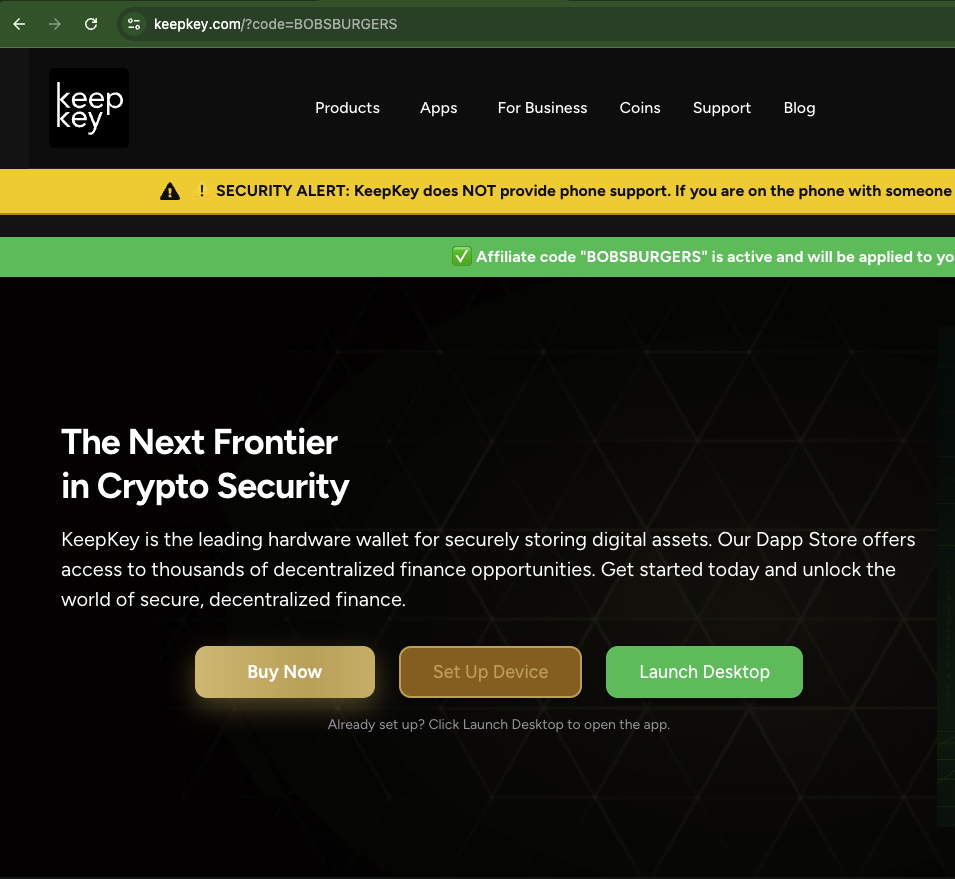
Step 11: Your Code in Action
When visitors use your affiliate link, they'll see your custom discount code applied on the KeepKey website.
The green confirmation banner shows your "BOBSBURGERS" code is active and will be applied to purchases, building trust with your audience.
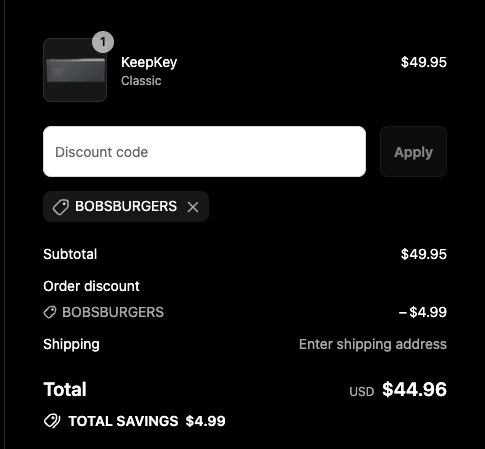
Step 12: Customer Checkout Experience
When customers complete purchases using your code, they receive a discount while you earn a commission.
Customer Benefits:
- KeepKey Classic for $49.95
- Your discount saves them $4.99
- Final price of $44.96
Your Benefits:
- Commission on the $44.96 sale
- Customer satisfaction from savings
- Increased conversion rates
Performance Tracking and Analytics
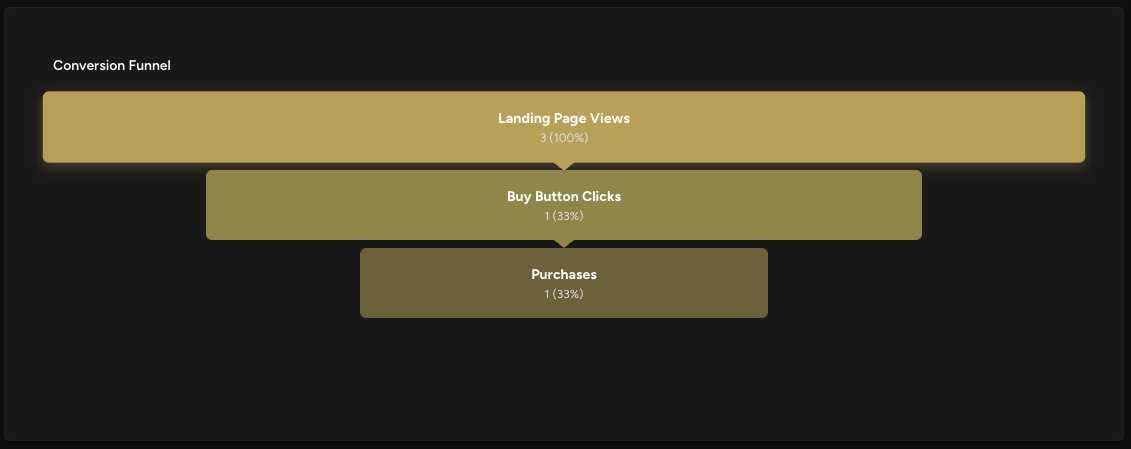
Step 13: Conversion Analytics
Monitor your affiliate performance with detailed conversion funnel analytics.
Performance Metrics:
- 📈 Landing Page Views: 3 (100%)
- 🛒 Buy Button Clicks: 1 (33% conversion)
- 💰 Purchases: 1 (33% conversion)
This data helps optimize your promotional strategy for better conversion rates.
Commission Payouts
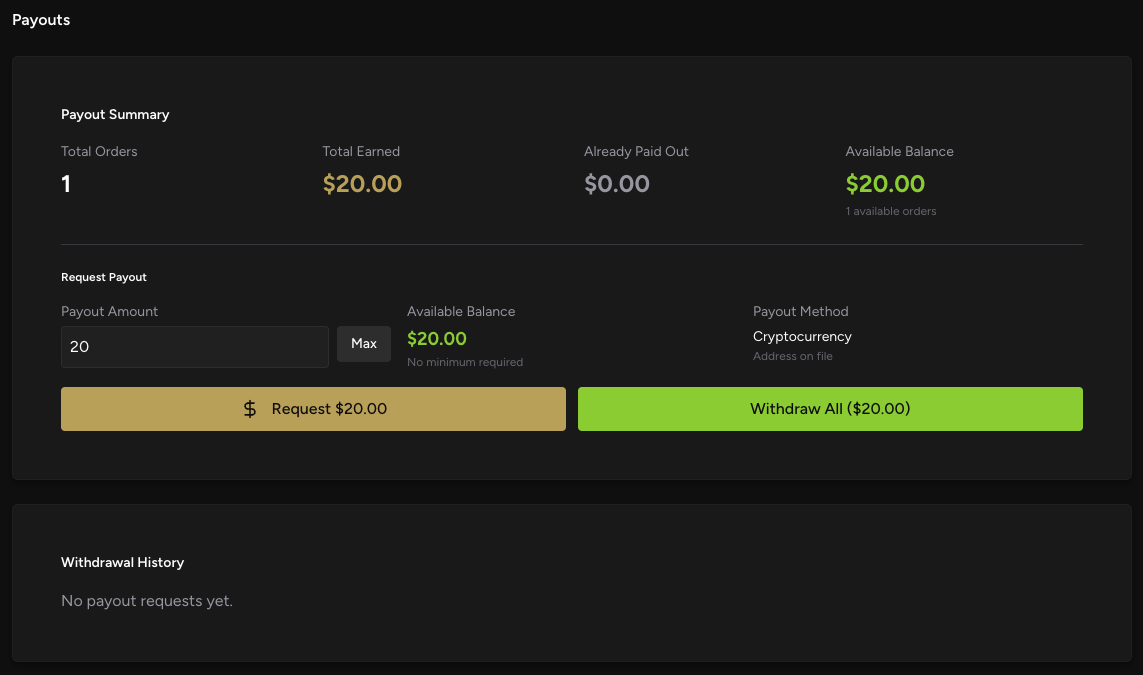
Step 14: Payout Management
Track your earnings and request payouts through the dedicated payouts dashboard.
Payout Summary:
- 💰 Total Earned: $20.00
- 📤 Paid Out: $0.00
- 💳 Available Balance: $20.00
- 🔄 Request Payout: Available when balance > minimum threshold
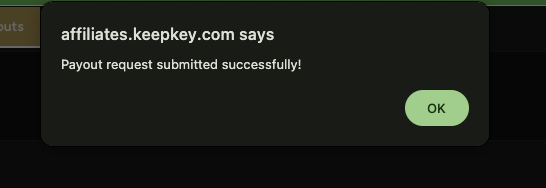
Step 15: Payout Request Confirmation
Submit payout requests directly through the dashboard for quick processing.
Success! Your payout request has been submitted successfully and will be processed according to the payment schedule.
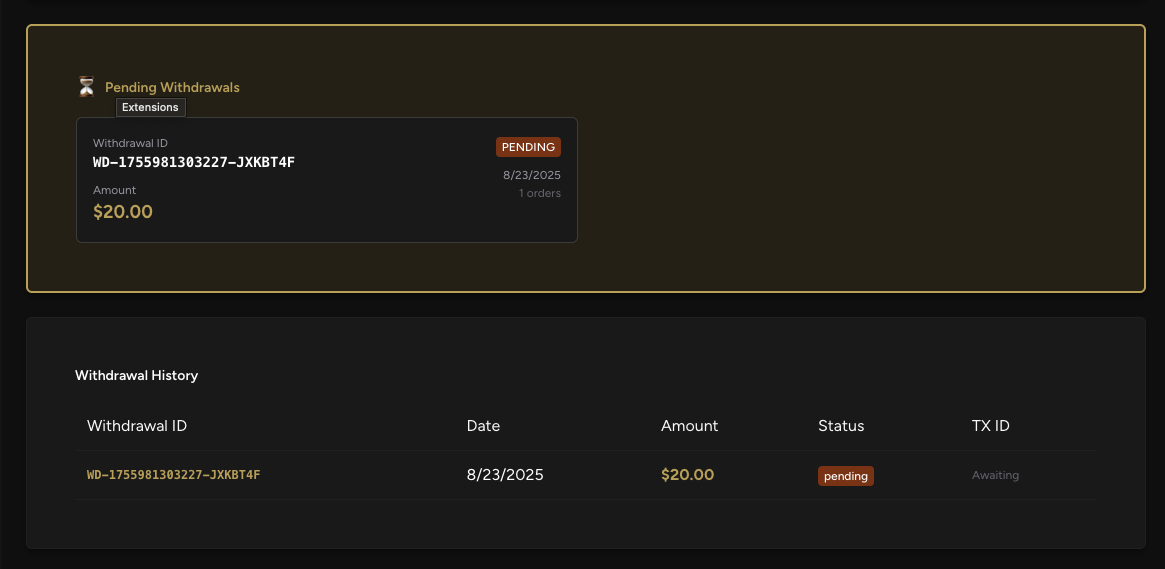
Step 16: Withdrawal Tracking
Monitor the status of your withdrawal requests in real-time.
Track each withdrawal with:
- Withdrawal ID for reference
- Amount being processed
- Status updates throughout processing
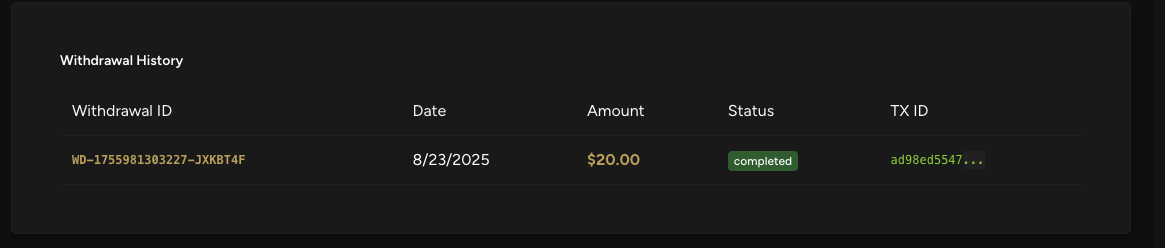
Step 17: Payment History
Access your complete payment history for record-keeping and tax purposes.
Your payment history includes:
- ✅ Completed Status confirmation
- 🆔 Transaction ID for blockchain verification
- 📅 Processing dates for tax records
Account Management
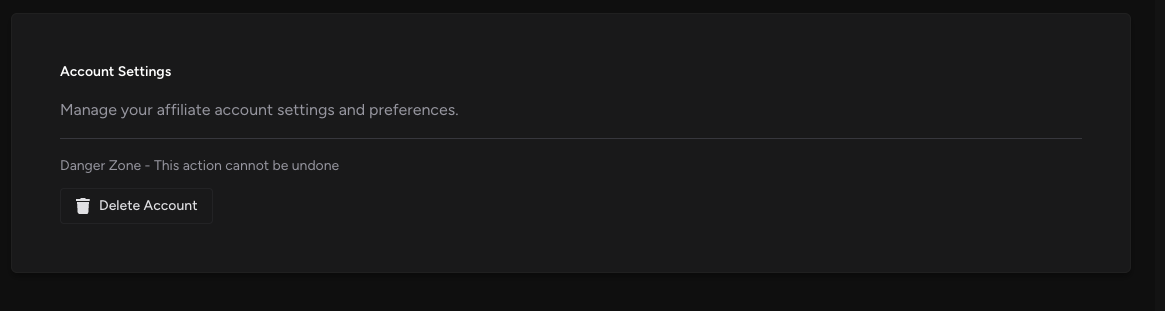
Step 18: Account Settings
Manage your affiliate account settings and preferences.
Settings Options:
- Account information updates
- Payment preference changes
- ⚠️ Danger Zone: Account deletion option (use with caution)
Step 19: Detailed Reporting
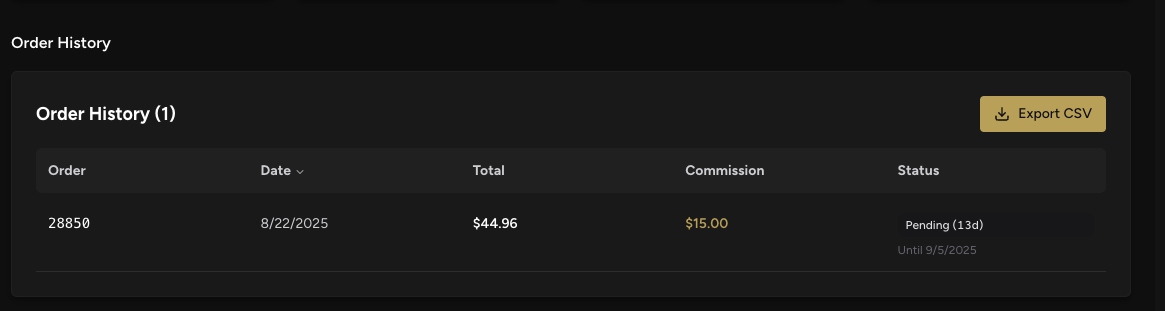
Access comprehensive order and commission reports for detailed performance analysis.
Detailed Reports Include:
- 📋 Order Numbers: #28850 example
- 💰 Commission Amount: $15.00 per order
- ⏳ Status Tracking: Pending with countdown (13 days remaining)
- 📊 Historical Performance: Track trends over time
Best Practices for Success
Content Creation Tips
Educational Content:
- Write tutorials about hardware wallet security
- Create comparison guides between different wallet types
- Share crypto security best practices
- Explain the importance of self-custody
Video Content:
- Unboxing and setup tutorials
- Security feature demonstrations
- FAQ sessions about hardware wallets
- Integration guides with popular wallets
Promotional Strategies
Social Media:
- Share security tips with your affiliate link
- Post about crypto news and wallet security
- Create educational threads on Twitter/X
- Share customer testimonials and reviews
Email Marketing:
- Include security tips in newsletters
- Promote special offers and discounts
- Share educational content about self-custody
- Highlight new KeepKey features and updates
Disclosure Requirements
Always include proper affiliate disclosures:
- "This post contains affiliate links"
- "I earn a commission if you make a purchase"
- "Your price remains the same"
- Follow FTC guidelines for your jurisdiction
Troubleshooting Common Issues
Application Delays
- Issue: Application taking longer than 3 days
- Solution: Contact affiliates@keepkey.com with your application details
Commission Discrepancies
- Issue: Missing commissions from confirmed sales
- Solution: Check the 14-day pending period and contact support with order details
Payout Problems
- Issue: Payout requests not processing
- Solution: Verify your payment information is correct and contact support
Technical Issues
- Issue: Affiliate links not tracking properly
- Solution: Clear browser cache, test in incognito mode, contact technical support
Maximizing Your Earnings
Understanding Commission Structure
- Base commission rate varies by product
- Higher-value orders may earn higher commission percentages
- Volume bonuses available for top performers
- Special promotions may offer bonus commission rates
Growing Your Affiliate Business
- Build Trust: Provide honest reviews and educational content
- Know Your Audience: Understand their security needs and concerns
- Stay Updated: Keep current with KeepKey product updates and features
- Engage Community: Participate in crypto security discussions
- Track Performance: Use analytics to optimize your promotional strategy
Advanced Strategies
- SEO Optimization: Create search-optimized content about hardware wallets
- Comparison Content: Compare KeepKey with competitors fairly and objectively
- Tutorial Videos: Create step-by-step guides for setup and usage
- Community Building: Build an audience around crypto security topics
Support and Resources
Getting Help
Marketing Resources
The affiliate team provides:
- Product images and logos
- Pre-written promotional content
- Technical specifications
- Competitive comparison data
- Educational materials about hardware wallets
Community Support
Connect with other affiliates:
- Share successful promotional strategies
- Ask questions about product features
- Get advice on content creation
- Collaborate on educational initiatives
Conclusion
The KeepKey affiliate program offers an excellent opportunity to earn commissions while promoting cryptocurrency security. By following this complete guide, you'll be well-equipped to:
✅ Successfully apply and get approved as a KeepKey affiliate
✅ Set up your account and payment information correctly
✅ Create effective promotional content that converts
✅ Track your performance and optimize your strategy
✅ Manage your commissions and payouts efficiently
Remember, success as a KeepKey affiliate comes from providing genuine value to your audience through education about hardware wallet security. Focus on helping people understand the importance of self-custody and how KeepKey can help them achieve it.
Start your affiliate journey today and join over 1,000 successful KeepKey affiliates earning commissions while promoting cryptocurrency security!
Ready to get started? Visit the KeepKey Affiliate Portal and begin your application today.