How to Swap Assets on a KeepKey
Permissionless. Decentralized. No third-party exchange in the loop.
KeepKey is the only hardware wallet that natively supports the full THORChain asset list in a single application. With KeepKey Desktop, you can swap Bitcoin for ETH, ETH for ATOM, ATOM for RUNE, RUNE for LTC — all without ever touching a centralized exchange, an account, or a KYC form. The keys stay on your device. The trade settles on-chain. The whole flow takes about a minute.
What you'll need
- A KeepKey running current firmware (update guide)
- KeepKey Desktop — download from keepkey.com/desktop
- The asset you want to swap from, already in a wallet KeepKey controls
- Enough native gas/network fee on the source chain to broadcast (e.g. a little BTC if swapping from Bitcoin, a little ETH if from Ethereum)
That's it. There's no separate "swap app" to install, no exchange account to create, no email to verify. The swap surface is built directly into KeepKey Desktop.
Why THORChain
Every other "swap inside your wallet" experience you've used involves an intermediary. Changelly, SimpleSwap, exchange-routed flows like the ones in Ledger Live — all of these rely on a third-party operator who takes custody of your funds, performs the trade on a centralized venue, and (after sometimes-significant slippage and a fee cut) sends the result to your destination address. Custody risk, KYC risk, and price-execution risk all stack up.
THORChain is different. It's a decentralized cross-chain liquidity protocol. There is no operator. There is no custodian. The trade settles natively on the source and destination chains via THORChain's own validator set and liquidity pools. The protocol's TSS (threshold signature) vaults hold the bridging liquidity, and the price you pay is set by the pool depths in real time — exactly the same way Uniswap-style AMMs work, just across chains.
In practical terms: you sign a transaction sending BTC to a THORChain inbound address with a memo describing your desired output asset. THORChain decodes the memo, executes the swap against the relevant pools, and broadcasts the output transaction on the destination chain. End-to-end, no one in the middle could steal your funds even if they wanted to. Custody never leaves the chain.
How KeepKey compares
| Capability | KeepKey Desktop | Ledger Live | Trezor Suite |
|---|
| Native cross-chain swap | ✅ via THORChain | Via 3rd-party (Changelly, etc.) | Via 3rd-party |
| All THORChain assets in one app | ✅ | ❌ App-switch per chain | ❌ |
| Native RUNE support | ✅ | Limited | ❌ |
| KYC required | Never | Sometimes (provider-dependent) | Sometimes |
| Custody during swap | None — peer-to-peer | Provider holds during swap | Provider holds |
The headline difference is the all-assets-in-one-app experience. On a Ledger you switch between BTC, ETH, and Cosmos apps depending on what chain you're operating on. On KeepKey Desktop, the chains live alongside each other and a swap from BTC to ATOM is a single screen.
Step-by-step swap walkthrough
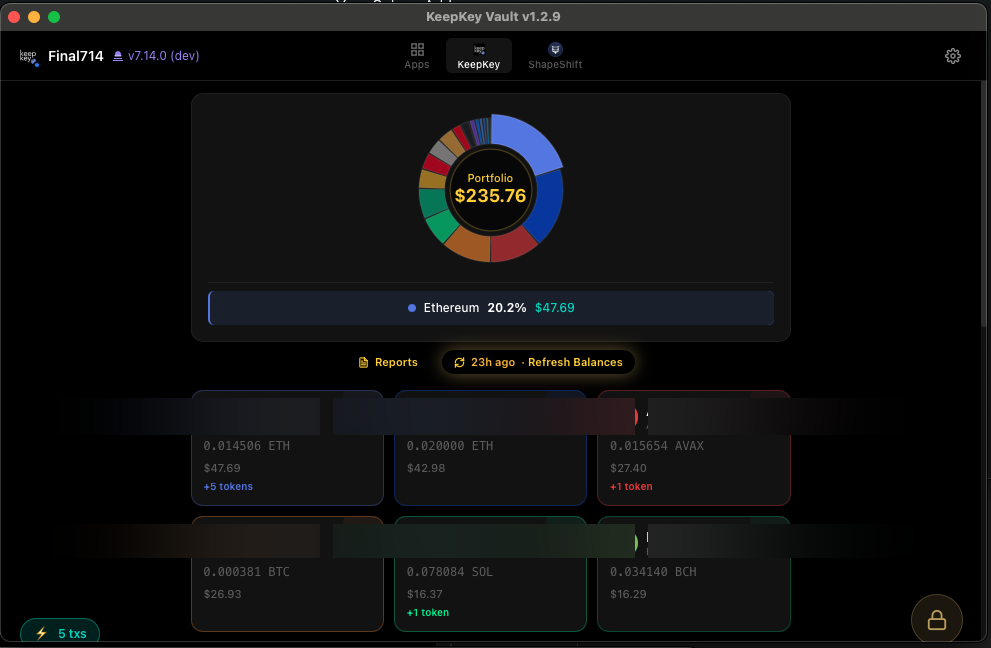
1. Open KeepKey Desktop and unlock the device
Plug your KeepKey in, enter your PIN. The portfolio loads with your balances across all configured chains:
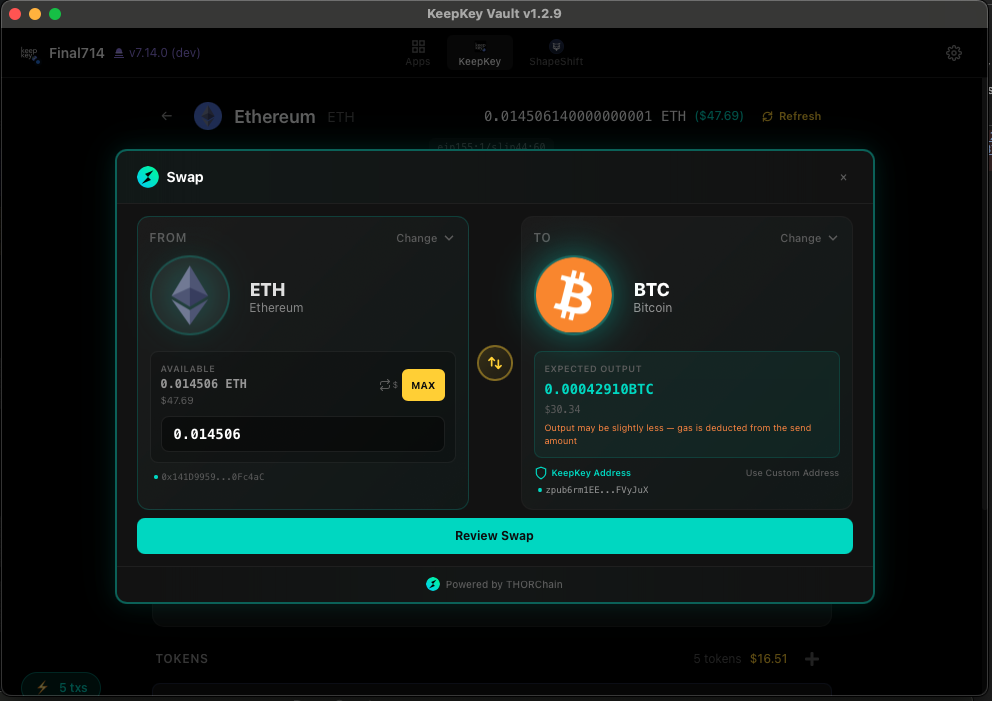
2. Open the swap screen and pick your pair
Click into the swap section. Pick the asset you're swapping from and the asset you want to. The interface shows the live exchange rate, the THORChain pool depths, the network fee, and the estimated slippage:
Enter the amount. KeepKey Desktop pulls live data from THORChain's mid-price oracle, so the quote you see is the quote you'll get (subject to a small slippage tolerance you can adjust).
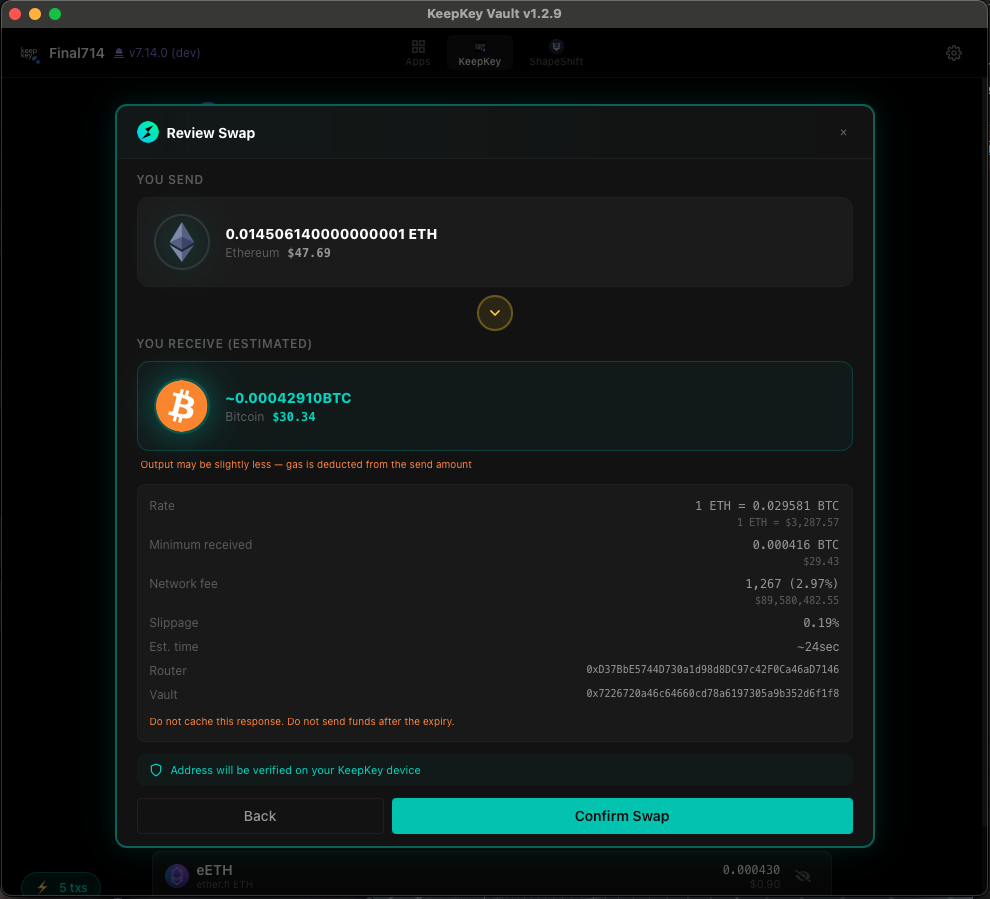
3. Review the swap
Before any signing happens, KeepKey Desktop shows you a full review screen — what's being swapped from, what's being received, the fee breakdown, the inbound vault address, and the THORChain memo:
Read this screen carefully. Verify:
- The receive asset is what you intended
- The receive amount is in line with what you saw on the previous screen
- The destination address (where the output asset will land) is your own address on the destination chain
- The fee total isn't unreasonable for the pool sizes involved
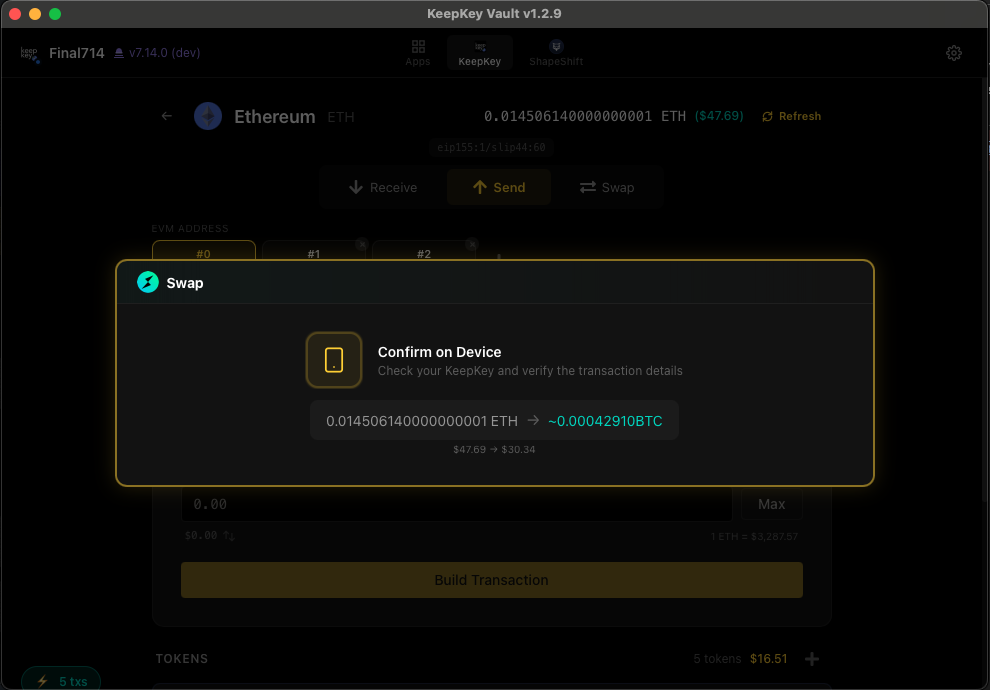
4. Confirm on the device
When you click Confirm in KeepKey Desktop, the transaction is sent to the KeepKey for signing. Verify the transaction on the device's screen — the address shown on the screen is what's actually being signed. The desktop app could be lying; the device cannot:
Press the device button to approve. The signed transaction broadcasts to the source chain.
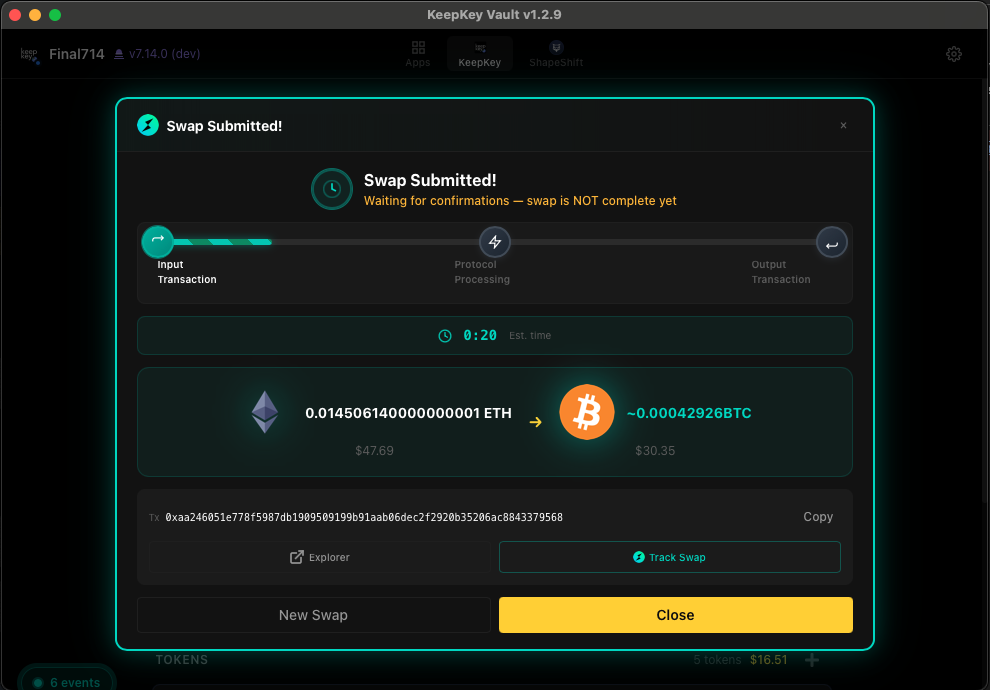
5. Track the swap
THORChain swaps complete in two phases — the source chain confirms the inbound transaction, then the protocol broadcasts the outbound transaction on the destination chain. KeepKey Desktop tracks both:
Typical end-to-end completion times:
- Bitcoin → anything: 10–20 minutes (waits for ~1 BTC confirmation)
- EVM chains → anything: 1–3 minutes
- Cosmos / RUNE → anything: under a minute
When the outbound leg confirms, the new asset shows up in your portfolio automatically. No manual claim, no "your swap is ready" notification to ignore — it just lands.
What KeepKey does that other wallets can't
Direct, custodyless cross-chain swaps in one application. No app-switching, no third-party operator, no KYC, no asset wrapping, no manual claim flow on the destination chain.
For users who care about decentralization, this is the actual product. The hardware wallet protects your keys. THORChain protects your custody during the swap. KeepKey Desktop is the only piece that has to be open-source and audit-able — and it is.
Common questions
Does the swap have a minimum or maximum? THORChain enforces minimums per chain (small, designed to filter out dust spam) and pool-depth-based maximums (you can't swap a $50M chunk through a $10M pool without massive slippage). KeepKey Desktop shows both before you sign.
What happens if my swap "gets stuck"? It doesn't, structurally. THORChain transactions either complete or refund — the protocol monitors inbound transactions and refunds the source asset back to your address if the swap can't execute. You don't need to do anything to claim the refund.
Can I cancel a pending swap? Once your inbound transaction broadcasts, no — it's a normal on-chain transaction. Before you sign on the device, you can back out at any point.
Why is the fee what it is? Two components: the network fee on the source chain (paid to miners/validators) and the THORChain protocol fee (paid to liquidity providers). Both are visible on the review screen.
The bigger picture
A swap inside a hardware wallet should not require you to trust an exchange, surrender custody, complete a KYC form, or sign up for anything. KeepKey + THORChain in KeepKey Desktop is the only mainstream wallet that delivers all of that in a single, native interface.
If you've been putting up with app-switching, third-party providers, and "log in to receive your swap" flows because that's what your hardware wallet shipped with — there's a better way.
Related